
One Secure Login for Your Whole Organization
Every Missionly application shares the same secure sign-in, so staff and volunteers log in once, and every role only sees what it's meant to.
Log In Once, Access Everything
Staff and volunteers sign in once and move between Orphan Care, Case Management, and every other Missionly application without logging in again, under your organization's own branded sign-in page.
- One account, one login, every Missionly application
- A sign-in page carrying your organization's own name and branding
- Centralized user management: add or remove access from one place
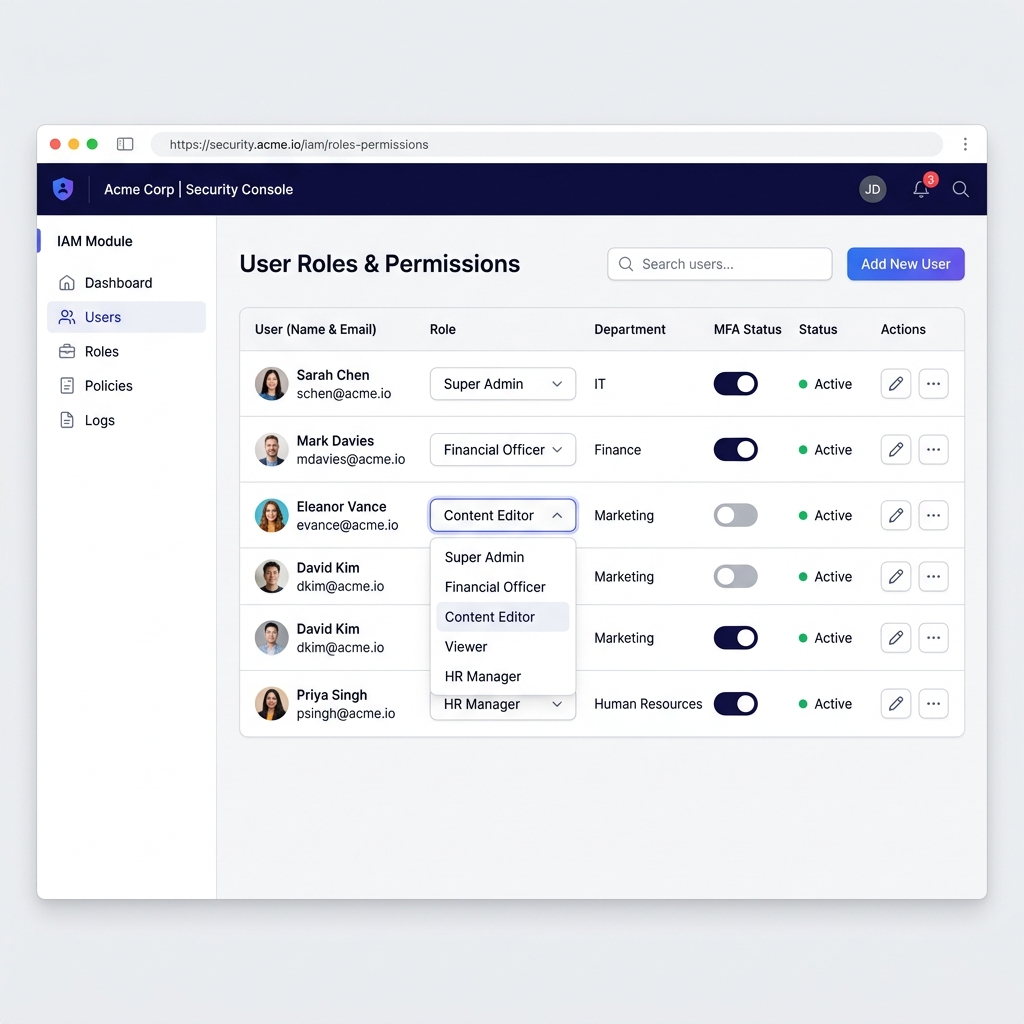
An Extra Step Where It Matters
Add one-time passcode verification for the roles that need it most (admins, finance, and anyone handling sensitive child or case records) without slowing everyone else down.
- One-time passcode verification with any standard authenticator app
- Apply it selectively to the roles that handle the most sensitive data
Everyone Sees Exactly What They Should
Define roles for field staff, volunteers, coordinators, and finance, each with permissions scoped to exactly what their job requires. Nothing more, nothing hidden.
- Fine-grained permissions down to individual records and reports
- Separate access for financial data from general case or child records
- Read-only roles for reviewers who need visibility without edit access
| Role | Case & Child Records | Financial Reports |
|---|---|---|
| Field Volunteer | Limited to assigned cases | No access |
| Finance & Reporting | Read-only | Full access |
One Place to Manage Every Account
Add a new staff member or volunteer once, and their access is ready across the whole suite. Remove them once, and access is gone everywhere, with no loose ends across separate systems.
- Centralized directory for every staff member and volunteer
- Instant offboarding: revoke access to everything in one action
One Directory, One Source of Truth
Every application in the suite checks the same central directory before granting access.
Ready to Simplify Access for Your Team?
We'll walk through your roles and show you exactly how access would be set up for your organization.